The Employee Who Stole $22,000 (And How Biometric Timekeeping Stopped It)
The $22,000 Employee Who Was Not Even There
The restaurant owner could not figure it out.
Labor costs were 38% of revenue. Industry standard? 25-30%.
Profit margins were gone. He was working 70-hour weeks just to break even.
We installed biometric fingerprint time clocks. Within the first week, we discovered the problem:
Employee #1 was clocking in Employee #2.
Every. Single. Day.
The scheme:
- Employee #2 worked morning shift (arrived at 10am)
- Employee #1 (friend) arrived at 8am
- Employee #1 clocked in for BOTH of them
- Employee #2 got paid for 2 hours they never worked
- 5 days/week × 2 hours × $15/hour × 52 weeks = $7,800/year
But wait, there is more:
We found TWO MORE employees doing the same thing.
Total annual theft: $22,400
Cost of biometric time clock system: $1,200
ROI: 2 weeks.
Here is everything we learned from catching payroll fraud (and waste) in 23 businesses.
The Real Cost of Manual Timekeeping (It is Not What You Think)
Time Theft You Cannot See
Buddy punching (clocking in for absent employees):
- Happens in 16% of businesses with PIN/card systems
- Average loss: 2-8% of gross payroll
- For 20-employee business: $18K-$72K/year
Time rounding abuse:
- Employee arrives at 8:07am, manually writes 8:00am
- Leaves at 4:53pm, writes 5:00pm
- 15 minutes/day stolen × 20 employees × $15/hour = $1,095/week = $57K/year
Unauthorized overtime:
- Employee works extra hours without approval
- Manager does not notice until payroll is processed
- Too late to do anything about it
Real example:
Construction company with 35 employees. Manual time cards. No oversight.
What we found:
- 12 employees consistently rounded time in their favor
- 4 employees working unauthorized overtime
- 2 instances of buddy punching
Annual cost: $67,000
They thought they were saving money by using $0.50 time cards instead of a $3,500 biometric system.
That "savings" cost them $63,500 per year.
The Payroll Error That Almost Bankrupted a Business
The Disaster
Small manufacturing company. 42 employees. Processing payroll manually in QuickBooks.
The error:
- Accountant accidentally added an extra zero to overtime multiplier
- Instead of 1.5x, employees got paid 15x for overtime
- 18 employees worked overtime that week
- Payroll: Should have been $28,400. Actually processed: $312,600.
Direct deposits went through before anyone noticed.
The aftermath:
- Had to recall deposits (expensive, embarrassing)
- Some employees had already spent money
- Bank fees: $4,200
- Accounting cleanup: $8,000
- Employee trust: damaged
- Almost did not make rent that month
What Actually Works
Automated payroll systems with built-in checks:
- Overtime rates locked in (cannot be accidentally changed)
- Automatic flagging of unusual amounts
- Approval workflows before processing
- Preview before finalizing
Same company, after automation:
- Zero payroll errors in 18 months
- Processing time: 6 hours/week → 45 minutes/week
- Sleep quality of owner: dramatically improved
Biometric Time Clocks: The Fastest ROI We Have Ever Seen
What We Implemented
System components:
- Fingerprint scanner at each location
- Cloud-based time tracking
- Automatic sync to payroll
- Real-time alerts for overtime
- Mobile app for remote workers
Cost:
- Hardware: $400-800 per location
- Software: $8-15/employee/month
- Total for 20-employee business: $1,200 setup + $200/month
Results Across 23 Implementations
Average savings:
- Time theft eliminated: $18,000/year
- Payroll processing time reduced: $6,400/year
- Error correction eliminated: $3,200/year
- Total: $27,600/year
Average ROI: 4.2 weeks
That is not a typo. These systems pay for themselves in about a month.
The Features That Actually Matter
Biometric verification (not just PIN):
- Fingerprint or facial recognition
- Cannot clock in for someone else
- Works even with dirty hands (construction)
- Privacy-protected (stores template, not actual fingerprint)
Automatic overtime tracking:
- Alerts manager when employee hits 40 hours
- Prevents unauthorized OT
- Tracks different OT rules (daily vs weekly, different rates)
PTO/vacation accrual:
- Automatic calculation based on hours worked
- Employees can check balance anytime
- Reduces "when can I take time off?" questions
Geo-fencing (for remote workers):
- Only allows clock-in from approved locations
- GPS verification
- Prevents "working from the beach" fraud
Mobile punch:
- For field workers, delivery drivers
- Requires photo verification
- GPS tracking
The Compliance Nightmare (And How to Avoid It)
Real Penalties We Have Seen
Wage & hour violations:
Case 1: Restaurant not tracking breaks properly
- Penalty: $12,400
- Cause: Could not prove employees took legally required breaks
- Easy fix: Digital time clock with mandatory break punches
Case 2: Construction company miscalculating overtime
- Penalty: $47,000 + back wages
- Cause: Some states require daily OT (over 8 hrs/day), they only tracked weekly
- Easy fix: Payroll system configured for state-specific rules
Case 3: Misclassifying employees as exempt
- Penalty: $18,000 + 2 years back overtime pay
- Cause: Classified supervisor as exempt, but did not meet salary threshold
- Easy fix: Automated exempt/non-exempt tracking with alerts
How Modern Systems Prevent This
Built-in compliance:
- Meal break tracking (mandatory in some states)
- Rest break enforcement
- Minor labor law compliance (special rules for under-18)
- Prevailing wage tracking (government contracts)
- ACA hours tracking (health insurance requirements)
Automatic updates:
- Tax table changes (happens constantly)
- Minimum wage increases
- Overtime rule changes
- State-specific regulations
Audit-ready records:
- Every punch stored digitally
- Cannot be altered without audit trail
- Instant report generation
- Years of history accessible
One client told us: "The system paid for itself the first time we did NOT get fined during an audit."
The Integration That Saves 10 Hours Per Week
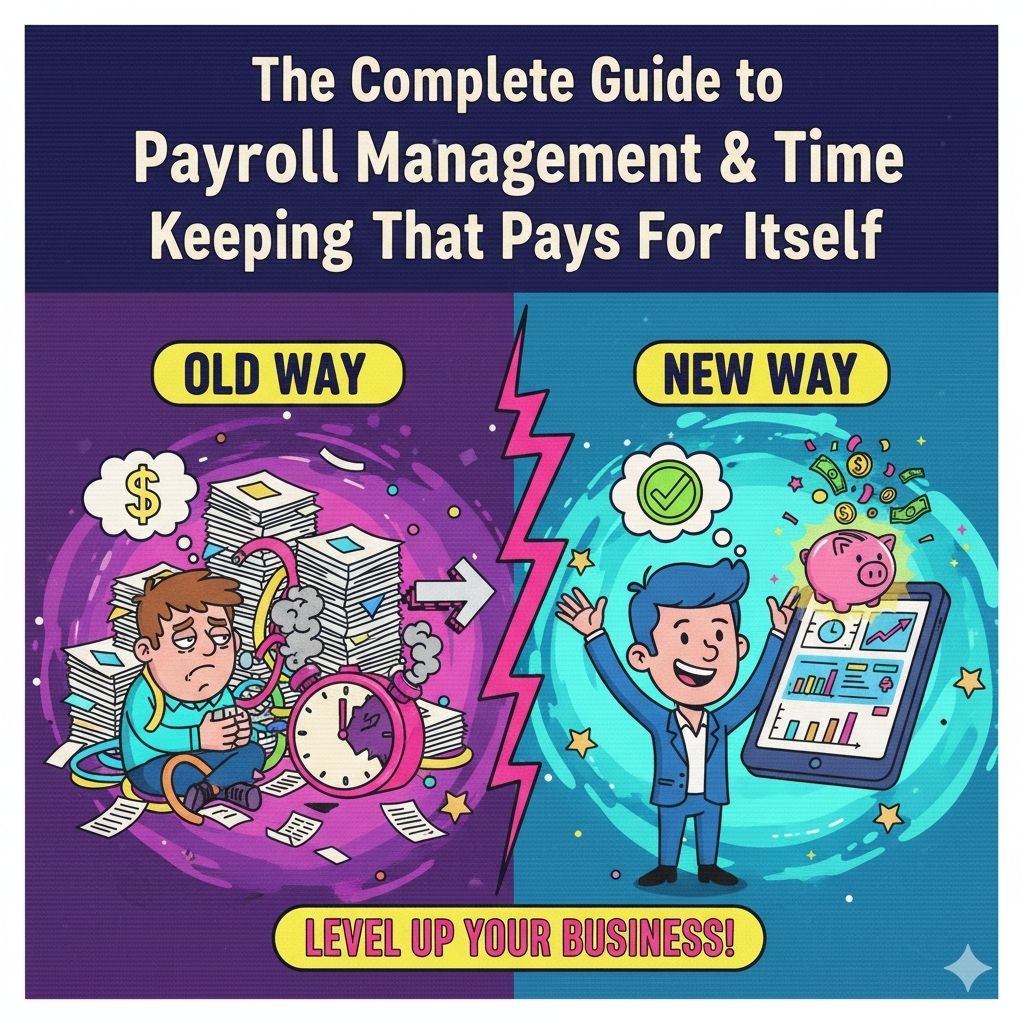
The Old Way (Pain)
Typical process:
- Collect time cards (30 min)
- Manually enter into Excel (2 hours)
- Calculate overtime, PTO, deductions (1 hour)
- Enter into payroll software (1.5 hours)
- Enter into accounting software (1 hour)
- Reconcile discrepancies (1 hour)
- Generate reports (30 min)
Total: 7.5 hours every pay period
Annual cost: 195 hours × $30/hour = $5,850
The New Way (Automated)
Integrated system:
- Time clock → Payroll system → Accounting system
- Automatic data flow
- No manual entry
- Real-time synchronization
Process:
- Review and approve time (20 min)
- Process payroll (5 min)
- Automatic tax filing (0 min)
- Automatic accounting entry (0 min)
Total: 25 minutes every pay period
Time saved: 7 hours × 26 pay periods = 182 hours/year
Money saved: 182 hours × $30/hour = $5,460/year
Bonus: Accountant is way less stressed.
Employee Self-Service: Stop Answering The Same Questions
Questions We Used To Get Daily
- "How many vacation days do I have left?"
- "Can I see my last pay stub?"
- "Did my direct deposit change go through?"
- "When was my last raise?"
- "What were my hours last week?"
Time spent answering: 15-30 minutes/day = 6.5 hours/month = 78 hours/year
The Solution
Employee self-service portal:
- View pay stubs anytime
- Check PTO balances
- Download tax forms (W-2, etc.)
- Update direct deposit
- Request time off
- View schedules
- Clock in/out from phone (if enabled)
Real result:
"How many vacation days?" questions dropped from 15/week to 1/week (that one person who never checks).
Time saved: 70 hours/year
Employee satisfaction: Way up (they hate asking for this stuff too)
What to Look For in a Payroll & Timekeeping System
Based on 23 implementations, here is what actually matters:
Must-Haves
Biometric time clock:
- Fingerprint or facial recognition
- Works in harsh environments (construction, food service)
- Cloud-connected for real-time data
Automatic payroll integration:
- Direct feed to payroll processor
- No manual data entry
- Supports your payroll provider (ADP, Gusto, Paychex, QuickBooks, etc.)
Compliance features:
- State-specific overtime rules
- Break tracking
- Minor employee restrictions
- Prevailing wage (if you do government work)
Reporting:
- Labor cost by department/project
- Overtime tracking and forecasting
- Attendance patterns
- Custom report builder
Employee self-service:
- Mobile app
- Pay stub access
- PTO balances
- Time-off requests
Nice-to-Haves
- Job costing (track time to specific projects)
- Shift differential pay (night/weekend premiums)
- Tip tracking and allocation
- Schedule management
- Applicant tracking
Deal-Breakers
Avoid systems that:
- Require proprietary hardware (expensive, locked in)
- Charge per-punch fees (adds up fast)
- Have poor integration options
- Lack mobile access
- Have terrible customer support
Real Results From Real Businesses
Restaurant (45 Employees)
Before:
- Manual time cards
- Buddy punching rampant
- Labor costs: 38% of revenue
- Payroll processing: 6 hours/week
After (6 months):
- Biometric time clocks
- Labor costs: 29% of revenue
- Payroll processing: 45 minutes/week
- Discovered $22K/year in time theft
Financial impact:
- Revenue (same): $1.2M
- Labor savings (9%): $108K/year
- Processing time saved: $8,300/year
- Total savings: $116K/year
- System cost: $3,200 + $600/month
- ROI: 3.4 weeks
Construction Company (35 Employees)
Before:
- Paper time cards
- Time rounding abuse
- No overtime alerts
- Failed labor audit (fined $12K)
After (12 months):
- Mobile GPS time tracking
- Biometric punch at shop
- Automatic overtime alerts
- Real-time job costing
Financial impact:
- Time theft eliminated: $67K/year
- Unauthorized OT prevented: $18K/year
- Passed audit with zero findings
- Better job cost visibility led to 12% profit margin improvement
Medical Office (20 Employees)
Before:
- Manual Excel timesheets
- Payroll errors every other period
- No PTO tracking
- Confused employees
After (90 days):
- Cloud time tracking
- Integrated with payroll
- Automatic PTO accrual
- Employee self-service
Financial impact:
- Payroll errors: eliminated
- Processing time: 5 hours → 30 minutes
- HR questions: down 80%
- Employee satisfaction: up significantly
- Office manager stopped threatening to quit
How to Implement (Without Chaos)
Week 1: Planning
- Assess current process (time it, document pain points)
- List requirements (what do YOU need?)
- Research 3-5 systems
- Check integration with your payroll provider
Week 2: Demos & Decision
- Demo with actual employees (not just management)
- Test with your actual scenarios
- Check references
- Compare total cost (hardware + monthly fees + implementation)
- Negotiate
Week 3: Setup
Most vendors handle:
- Hardware installation
- Employee enrollment (fingerprint/face scan)
- System configuration
- Integration with payroll
- Initial training
Week 4: Parallel Testing
- Run new system alongside old system
- Compare results
- Fix any discrepancies
- Train employees thoroughly
Week 5: Go-Live
- Cut over completely to new system
- Extra support first few days
- Monitor closely
- Address issues immediately
Week 6+: Optimization
- Review reports and analytics
- Adjust policies based on data
- Advanced training for managers
- Measure ROI
The Bottom Line
Your payroll and timekeeping system should:
- Eliminate time theft (biometric verification)
- Prevent payroll errors (automation)
- Ensure compliance (built-in rules)
- Save time (integration)
- Empower employees (self-service)
If yours does not do these things, it is costing you money.
Probably more than you think.
Ready to Stop Losing Money on Payroll?
We have implemented biometric timekeeping and payroll systems for 23 businesses. Every single one saw positive ROI within 90 days. Most within 30 days.
Our payroll solutions include:
- Biometric time clocks (fingerprint/face recognition)
- Cloud-based time tracking with mobile apps
- Automatic integration with payroll providers
- Compliance management for wage & hour laws
- Employee self-service portals
- Real-time labor cost tracking
Request a Free Payroll Cost Analysis to see exactly how much time theft and inefficiency is costing you.
Or explore our payroll solutions to see how we help businesses save money while improving accuracy.

Let's Talk
Tell us what you need. No sales pitch, just a conversation.
Message sent!
We'll get back to you within 24 hours.
Something went wrong. Please try again.
Join the Waitlist
Be the first to know when we launch. No spam, just updates.
You're on the list!
We'll keep you posted on our launch.
Something went wrong. Please try again.
Powered by Dyna
👋 Hi, I'm Dyna! Need help choosing the right solution?