The Cash Register That Cost a Retail Store $180K (And 5 Signs Yours is Next)
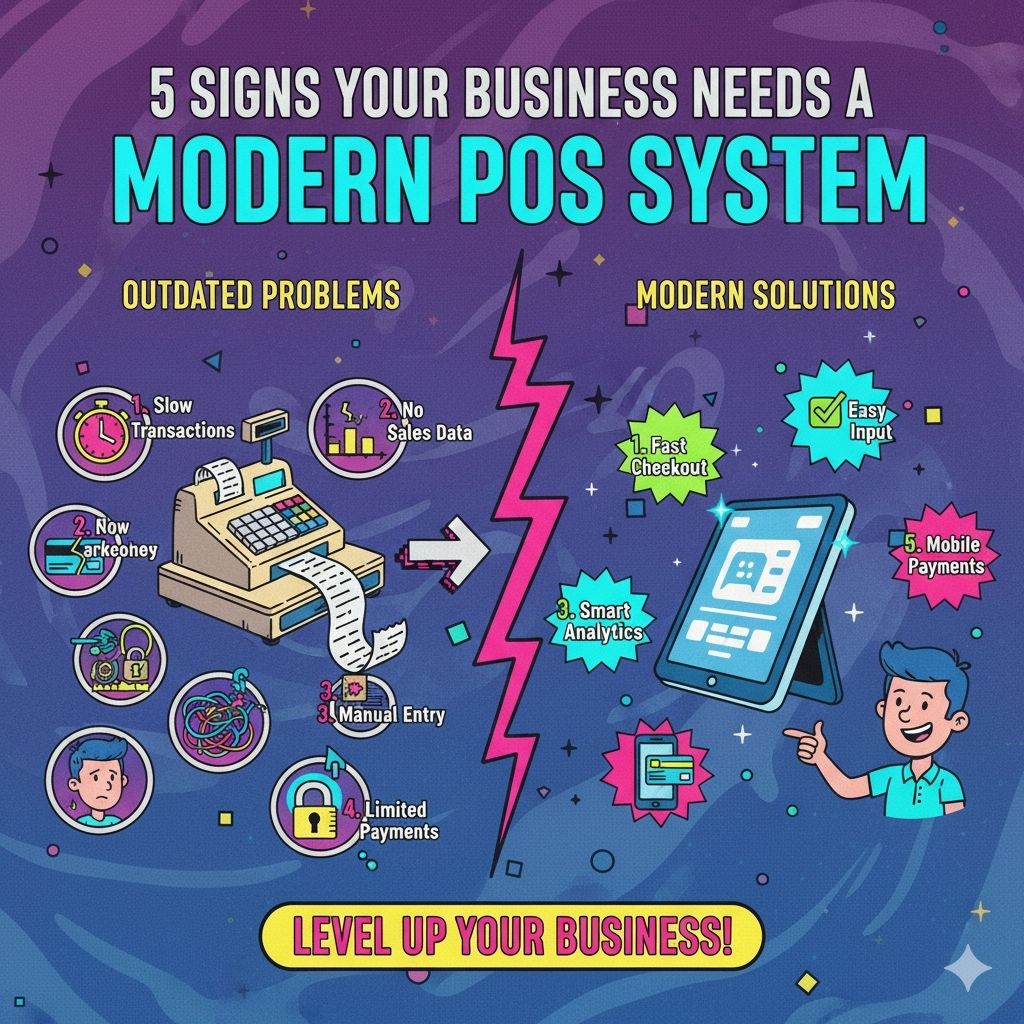
The $180,000 Wake-Up Call
A clothing boutique owner called us, frustrated beyond belief.
Her: "I am losing customers at checkout. They are literally abandoning carts because the line is too long."
Me: "How long are we talking?"
Her: "During lunch rush? 15-20 minutes. People just walk out."
Her ancient POS system from 2012 was slow. Every. Single. Transaction. took 3-4 minutes.
Swipe card. Wait. Wait. Wait. Print receipt. Wait some more.
We did the math:
- Average cart value: $85
- Estimated abandoned transactions per day: 8-12
- Days per year: 365
- Lost revenue: $248K-$372K annually
She had been "saving money" by not upgrading her $4,000 POS system.
That "savings" cost her at least $180K per year in lost sales.
Here are the 5 signs your POS system is doing the same to you.
Sign 1: Checkout Takes Forever (And Customers Notice)
The Pain
Symptoms:
- Transactions take 2+ minutes
- System freezes during peak hours
- Customers tapping their feet impatiently
- Staff apologizing constantly ("Sorry, it is being slow today")
The Real Cost
That boutique: 3-4 minute transactions × 8-12 abandoned carts/day = $180K+ lost annually
A restaurant we helped: Slow POS during dinner rush meant:
- Tables turning 20% slower
- Server tips down 15% (frustrated customers)
- Online reviews mentioning "slow service"
- Result: $95K annual revenue loss
What Changed
We implemented a modern cloud POS:
- Transaction time: 3 minutes → 35 seconds
- No more freezes
- Mobile POS lets staff check out customers anywhere in store
- Line disappeared
Results after 90 days:
- Sales up 28% (no more abandoned carts)
- Customer satisfaction scores up 41%
- Staff stress levels way down
- System paid for itself in 4 months
Your Action Step
Time your average transaction during a rush. If it is over 90 seconds, you are losing money.
Sign 2: You Have No Idea What is Actually In Stock
The Horror Story
Coffee shop owner: "I ran out of oat milk. Again. For the third time this month. But we have 47 bags of regular milk going bad in the back."
Why? Their POS did not track inventory. At all.
Their process:
- Staff guessed what to order
- Over-ordered some items (waste)
- Under-ordered others (lost sales)
- Spent 6 hours/week manually counting inventory
- Still got it wrong
Cost:
- Waste from over-ordering: $1,800/month
- Lost sales from stockouts: $3,200/month
- Labor for manual counting: $1,200/month
- Total: $6,200/month = $74K/year
What Changed
Modern POS with real-time inventory:
- Every sale automatically updates stock levels
- Low-stock alerts sent to owner's phone
- Automated reorder suggestions based on sales trends
- Multi-location tracking (they opened a second shop)
Results:
- Waste down 67%
- Stockouts down 89%
- Manual counting: 6 hours/week → 30 minutes/week
- Savings: $67K/year
That is a 1200% ROI in year one.
Your Action Step
Can you tell me right now how many units of your top 10 products you have in stock? If you cannot, you need a new POS.
Sign 3: You Cannot Answer Basic Business Questions
The Frustration
Retailer: "Which products make us the most money?"
Old POS: "Uh... we can show you total sales?"
Retailer: "But what about profit margin? What about sales by time of day? By staff member? By location?"
Old POS: "..."
Questions You Should Be Able To Answer
But probably cannot:
- What is our best-selling product by profit (not revenue)?
- When are our peak sales hours?
- Which employee drives the most sales?
- What is our average transaction value?
- Which products are always bought together?
- What is our customer return rate by product?
Without these answers, you are flying blind.
Real Example
Sporting goods store thought their best product was basketball shoes (highest revenue).
Modern POS revealed:
- Basketballs had 3x higher profit margin
- Water bottles had fastest turnover
- Shoe accessories (socks, insoles) sold with every shoe purchase
Changes they made:
- Moved basketballs to eye level
- Created "shoe care kit" bundles
- Staff training on upselling accessories
Result: Profit margins up 34% without increasing foot traffic.
What Changed
Cloud POS with analytics:
- Real-time dashboards (accessible on phone)
- Product performance reports
- Employee sales tracking
- Customer behavior insights
- Customizable reports
Owner told us: "I finally understand my business. I was guessing before."
Your Action Step
If you cannot access your sales data from your phone right now, you need a better POS.
Sign 4: You are Stuck In Your Store
The Reality
Owner: "I cannot take a vacation. I need to be here to close out the register every night."
Why? Their POS required physical access. No remote capabilities. No cloud backup.
What this meant:
- Could not check sales while traveling
- Could not help staff troubleshoot remotely
- Could not approve discounts from home
- Had not taken a real vacation in 3 years
Cost: Burnout. Family strain. Nearly sold the business.
Real Story
Gift shop owner got COVID. Had to quarantine for 10 days.
Problem: Only she knew how to run end-of-day reports. Only she could troubleshoot POS issues.
Result: Staff called her 15-20 times per day. She ran the store from bed while sick.
What Changed
Cloud POS system:
- Access from anywhere (phone, tablet, home computer)
- Real-time sales monitoring
- Remote troubleshooting
- Cloud backup (no more "the computer crashed and we lost everything")
Same owner, 6 months later:
- Took a 2-week vacation to Europe
- Checked sales once per day on her phone (5 minutes)
- No panicked calls
- Business ran smoothly
Her quote: "I got my life back."
Your Action Step
Can you check today's sales from your phone right now? If not, you are chained to your store.
Sign 5: Your POS Does Not Play Nice With Your Other Systems
The Nightmare
Multi-channel retailer:
- Sells in-store
- Sells on Shopify
- Sells on Amazon
- Sells at pop-up markets
Their process with old POS:
- Manually enter online orders into POS
- Manually update inventory across 4 systems
- Manually reconcile sales at end of day
- Hope they did not make mistakes (they did)
Time spent: 12 hours/week
Errors made: Constant
Example error: Sold same item in-store and online simultaneously. Had to refund customer. Lost sale AND looked incompetent.
What Changed
Integrated cloud POS:
- Syncs with Shopify, Amazon, and marketplace apps
- One inventory system across all channels
- Orders automatically flow into POS
- Customer can buy online, pick up in store
- Returns processed in any channel
Results:
- Manual work: 12 hours/week → 1 hour/week
- Errors: eliminated
- Customer can check in-store inventory online before visiting
- Revenue up 31% (better inventory accuracy + omnichannel experience)
Time saved: 11 hours/week = 572 hours/year = $17K in recovered labor
Your Action Step
List every place you sell. If your systems do not talk to each other automatically, you are wasting time and losing sales.
The Real Cost of Doing Nothing
Let me add it up for you:
Typical small retail business with outdated POS:
- Lost sales (slow checkout): $50K-180K/year
- Inventory waste and stockouts: $40K-75K/year
- Manual labor (counting, reconciling): $15K-25K/year
- Poor decisions (no data): $20K-50K/year
- Owner burnout: Priceless
Total cost: $125K-$330K per year
Cost of modern POS: $2K-5K upfront + $100-300/month
ROI timeline: Usually 3-6 months
You are not saving money by avoiding the upgrade. You are hemorrhaging it.
What to Look For in a Modern POS
Based on implementing 40+ POS systems, here is what actually matters:
Must-Haves
Speed:
- Transactions under 60 seconds
- Works offline (internet goes down, you still sell)
- No lag, no freezes
Inventory:
- Real-time tracking
- Multi-location support
- Low-stock alerts
- Automatic reorder suggestions
Data & Reports:
- Sales analytics
- Product performance
- Employee tracking
- Custom reports
- Mobile access
Integration:
- E-commerce platforms (Shopify, WooCommerce, etc.)
- Accounting software (QuickBooks, Xero)
- Payment processors
- Marketing tools
Hardware Flexibility:
- iPad/tablet option (not locked to proprietary hardware)
- Mobile POS for line-busting
- Barcode scanner integration
- Receipt printer compatibility
Nice-to-Haves
- Customer loyalty program
- Gift card management
- Employee time tracking
- Customer display
- Kitchen display system (restaurants)
- Table management (restaurants)
- Appointment booking (service businesses)
Deal-Breakers
Avoid systems that:
- Lock you into proprietary hardware
- Charge per-transaction fees (adds up fast)
- Have poor customer support
- Do not integrate with your e-commerce
- Require long-term contracts with no exit
Real Results From Real Businesses
Boutique Clothing Store
Before:
- 3-4 minute transactions
- No inventory tracking
- Manual counting
- 8-12 abandoned carts/day
After (90 days):
- 35-second transactions
- Real-time inventory
- Automated reorders
- Abandoned carts: nearly zero
Financial impact:
- Revenue up 28%
- Waste down 60%
- Labor saved: 6 hours/week
- ROI: 4 months
Coffee Shop Chain (3 Locations)
Before:
- Different POS at each location
- No centralized reporting
- Inventory chaos
- Could not transfer stock between locations
After (6 months):
- Unified cloud POS across all 3 locations
- Real-time multi-location inventory
- Transfer stock based on demand
- Owner sees all 3 stores from one dashboard
Financial impact:
- Waste down 67%
- Stockouts down 89%
- Manager labor down 40% (automated reporting)
- Opened 4th location (confident in systems)
Restaurant
Before:
- Paper tickets to kitchen (lost/illegible)
- Slow checkout
- No table management
- Could not track server performance
After (3 months):
- Digital kitchen display
- Tableside ordering and payment
- Table turnover tracking
- Server sales leaderboard
Financial impact:
- Table turnover up 22%
- Order errors down 94%
- Server tips up (faster service)
- Revenue up $8,500/month
How to Make the Switch (Without Losing Your Mind)
Week 1: Research
- List your requirements (what do YOU need?)
- Research 3-5 POS systems
- Read reviews from businesses like yours
- Check integration compatibility
Week 2: Demos
- Schedule demos (bring your staff)
- Test with YOUR products and workflows
- Ask about implementation process
- Get total cost breakdown (setup + monthly + hardware)
Week 3: Decision
- Check references (talk to current customers)
- Compare total cost of ownership
- Negotiate (most vendors have flexibility)
- Sign contract
Week 4: Implementation
Most vendors handle:
- Hardware setup
- Product catalog import
- Payment processor connection
- Staff training
Timeline: Usually 1-2 weeks
Best practice: Run parallel for first week (old and new system together)
Week 5: Go-Live
- Cut over fully to new system
- Extra staff support first few days
- Monitor closely
- Address issues immediately
Week 6+: Optimization
- Review reports and analytics
- Adjust workflows
- Train on advanced features
- Measure ROI
The Bottom Line
Your POS system should:
- Make checkout faster (not slower)
- Track inventory automatically (not manually)
- Provide insights (not just process sales)
- Free you from the store (not chain you to it)
- Connect everything (not create silos)
If yours does not do these things, it is costing you money. Probably a lot.
Ready to Upgrade Your POS?
We have implemented modern POS systems for 40+ retailers, restaurants, and service businesses. We know what works, what does not, and how to make the switch smooth.
Our POS solutions include:
- Cloud-based systems that work anywhere
- Real-time inventory across all locations
- Integration with e-commerce and accounting
- Mobile POS for flexibility
- Training and support that actually helps
Request a Free POS Assessment to see exactly how much your current system is costing you.
Or explore our POS solutions to see how we help businesses grow with modern retail technology.

Let's Talk
Tell us what you need. No sales pitch, just a conversation.
Message sent!
We'll get back to you within 24 hours.
Something went wrong. Please try again.
Join the Waitlist
Be the first to know when we launch. No spam, just updates.
You're on the list!
We'll keep you posted on our launch.
Something went wrong. Please try again.
Powered by Dyna
👋 Hi, I'm Dyna! Need help choosing the right solution?